


If you’ve been searching for the answer to what is Business Central, you’ve probably heard the name dropped in conversations about modern ERP, Microsoft’s cloud strategy, or as the natural step after outgrowing QuickBooks or spreadsheets. And the short answer is this: Microsoft Dynamics 365 Business Central is a cloud-first, all-in-one business management platform built for small and medium-sized enterprises — but that definition barely scratches the surface.
In practice, Business Central is the system that connects your finance team, your warehouse, your salespeople, your project managers, and even your shop floor into one secure, real-time application. It’s the product of over 35 years of ERP heritage — from the original Navision product launched in Denmark, through the Microsoft Dynamics NAV era, to its current incarnation as a true SaaS platform on the Microsoft Cloud.
This guide walks you through what Business Central actually is, which modules it includes, who should consider it, how licensing works, how AI is woven into it, and how it stacks up against the competition. We’ll keep the sales pitch out of it — just honest, useful information.
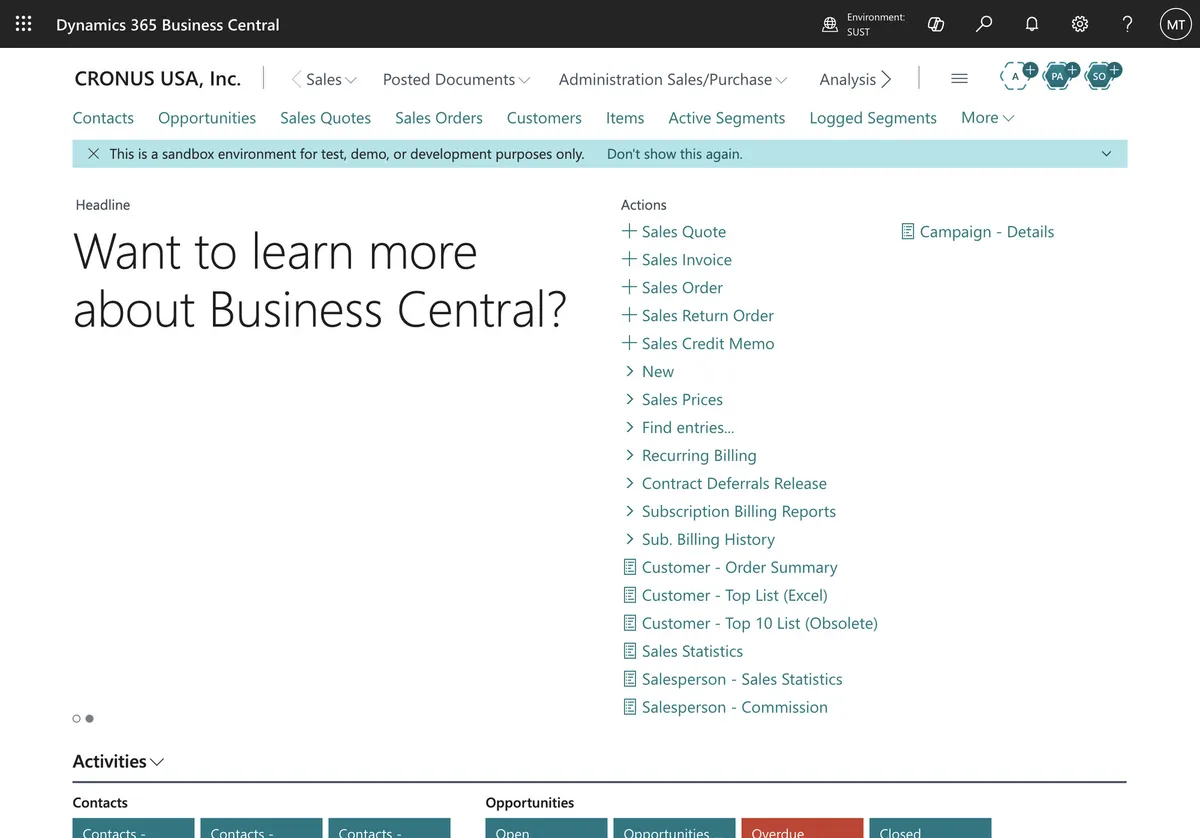
Who Is Business Central For?
Let’s start with the most important question: is this ERP for you?
Business Central is purpose-built for small and mid-sized organizations — typically 10 to 300 employees — that have outgrown manual processes, disconnected spreadsheets, or entry-level accounting software like QuickBooks or Xero. It serves companies across manufacturing, distribution, retail, professional services, and project-based industries.
You won’t find Fortune 500 corporations running Business Central as their single global ERP. Those enterprises sit on Microsoft Dynamics 365 Finance & Supply Chain Management (formerly Dynamics AX) or SAP S/4HANA. But for the mid-market — and the subsidiaries of those same Fortune 500 companies — Business Central is often the ideal fit: capable enough to handle complexity, flexible enough to adapt, and priced at a level that doesn’t require a board vote.
A concrete example: a manufacturing company with 80 employees, running production orders, managing inventory across two warehouses, and selling B2B in multiple currencies. That’s squarely in Business Central’s wheelhouse.
Core Modules: What You Get Out of the Box
Business Central isn’t a loose collection of apps you stitch together. It’s a unified platform with deep, native modules that talk to each other from day one.
Financial Management
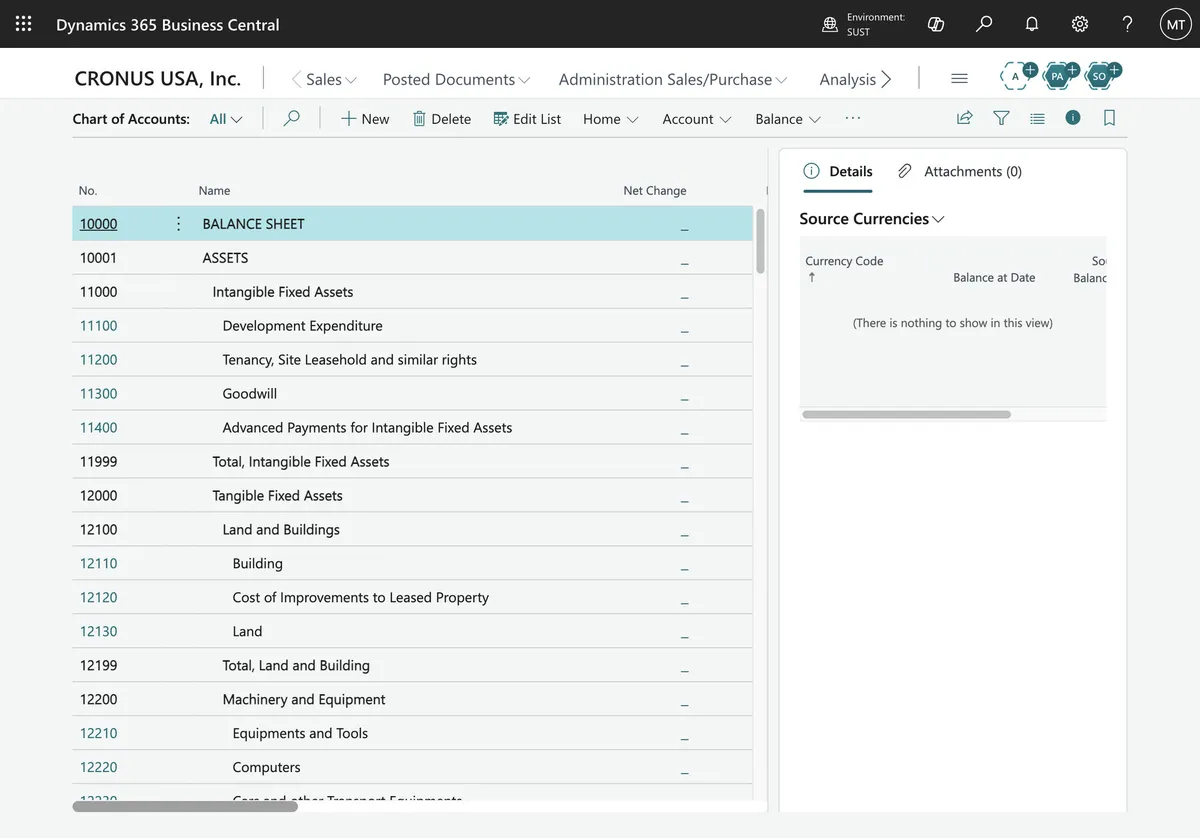
This is the backbone. General ledger, accounts payable and receivable, bank reconciliation, fixed assets, cash flow forecasting, multi-currency, intercompany postings, consolidations — it’s all there. The chart of accounts is flexible, and dimensions let you tag transactions for granular reporting without cluttering your GL structure.
Microsoft Copilot is built into the finance module: it can help you reconcile bank accounts, suggest GL accounts during data entry, and even generate cash flow projections using AI.
Supply Chain & Inventory
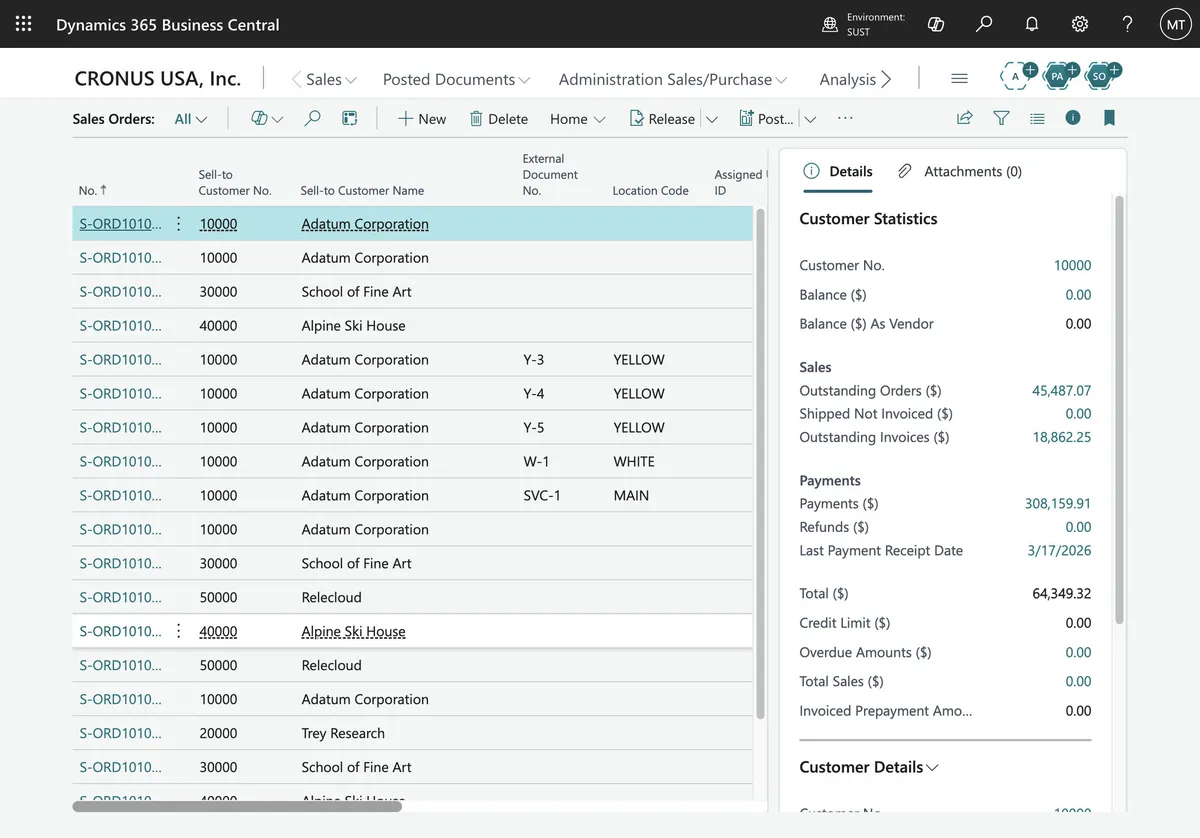
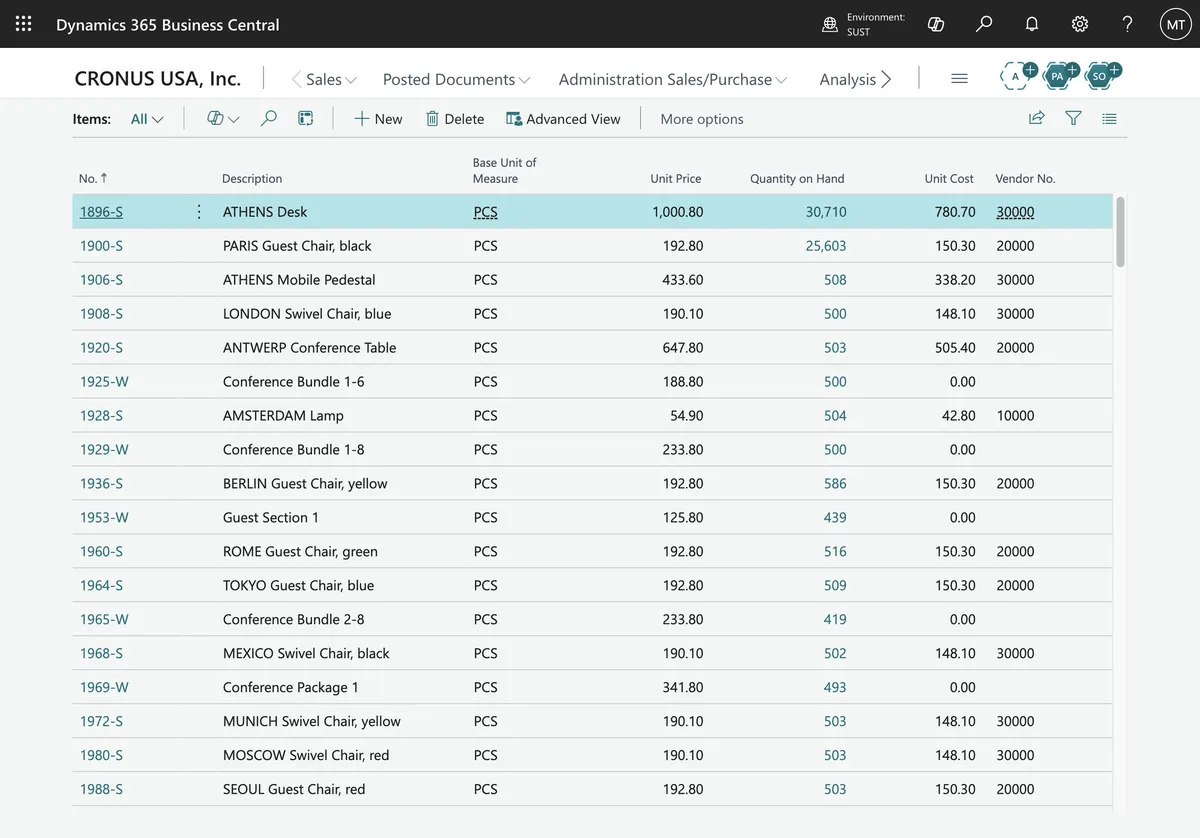
Sales orders, purchase orders, inventory management, warehouse pick/put-away, item tracking by serial or lot number, and demand forecasting. If you run a warehouse or a distribution operation, this is where you’ll live. The system supports advanced warehouse configurations — bins, zones, directed put-away and pick — for those who need it.
Manufacturing
Available with the Premium license, the manufacturing module covers production orders, bills of materials, routings, capacity planning, shop floor output, and subcontracting. It handles both make-to-stock and make-to-order scenarios. Assembly management (for kitting and light assembly) comes with the Essentials license.
Project Management
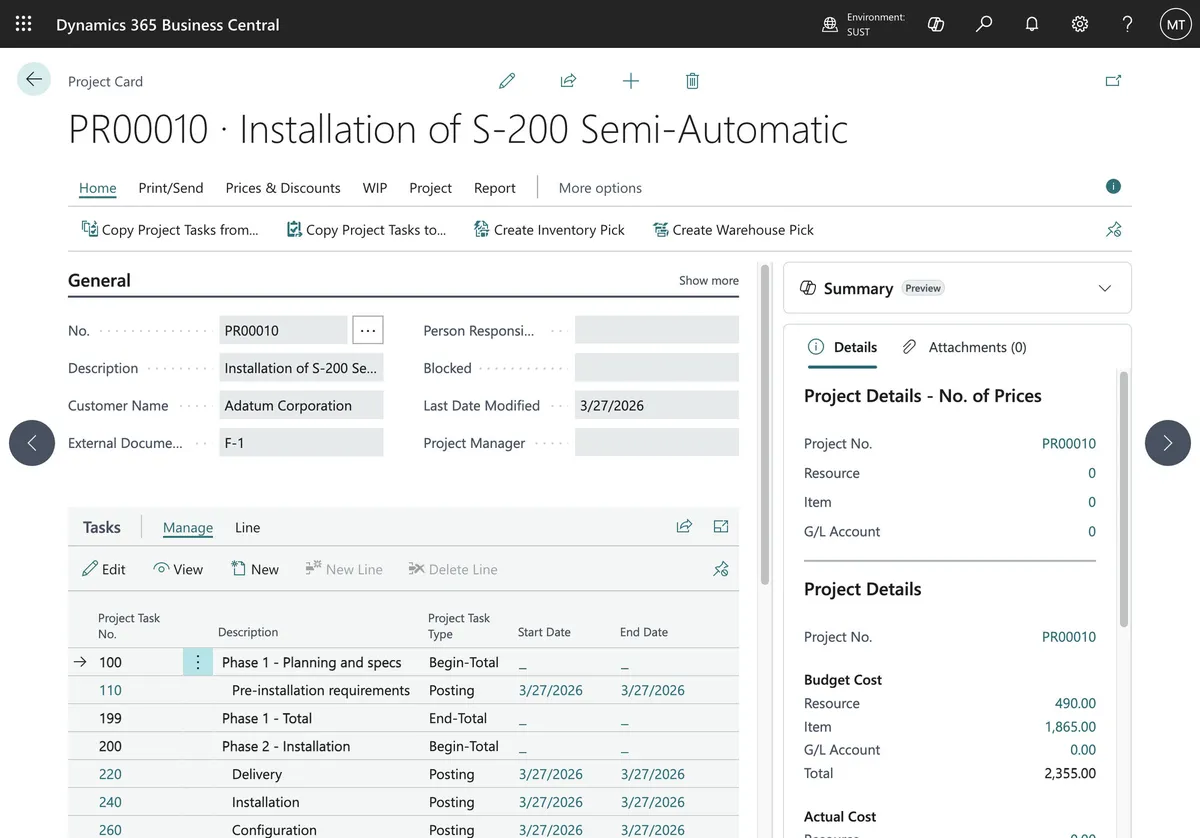
Jobs, timesheets, resource planning, budgets, and WIP calculation. If you’re a professional services firm, a construction company, or any project-based business, this module handles the job costing and billing workflow end to end.
Sales & Service
Customer management, opportunity tracking, quotes, blanket orders, service orders, and contract management. While it’s not a full CRM, it covers the quote-to-cash cycle well — and it integrates natively with Dynamics 365 Sales if you need a deeper CRM layer.
AI & Copilot
This is where 2025 and 2026 releases have really transformed the product. Copilot is included with every Essentials and Premium license at no extra cost. It now handles:
- Bank reconciliation assistance — Copilot matches transactions and suggests postings
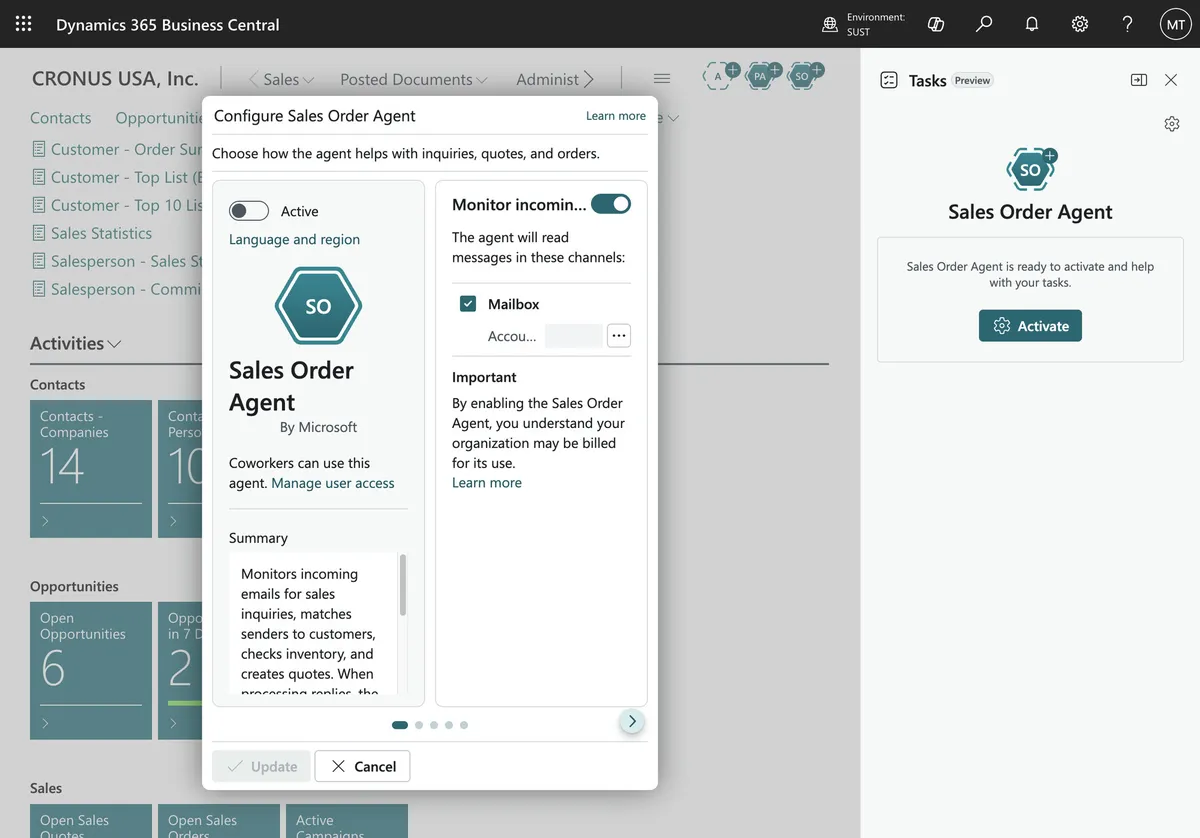
- Sales Order Agent — interprets orders received via email, creates sales documents automatically
- Payables Agent — captures, matches, and routes incoming purchase invoices
- Marketing text suggestions — AI-generated product descriptions for e-commerce
- Analysis assist — ask Copilot to summarize data or find trends using natural language
Autonomous agents — software entities that complete structured business processes without human hand-holding — are gradually rolling into the platform. The Sales Order Agent and Payables Agent are the first of many.
Cloud-First, But Flexible
Business Central is primarily a SaaS product — you subscribe, log in through a browser, and Microsoft runs everything. Updates roll out automatically (major releases every April and October, minor updates monthly), and you never touch a server.
There is also an on-premises option for organizations with specific regulatory or infrastructure requirements. A few things to know:
- SaaS (cloud) is the recommended path for nearly everyone. It gets AI features, Copilot, and connected services like Shopify and Field Service integration first — or exclusively.
- On-premises deployments still work but get fewer innovation features. No Copilot, no agents.
- Hybrid is technically possible but increasingly rare; most partners (including us) recommend going fully cloud unless there’s a compelling reason not to.
The cloud architecture also means you can work from anywhere — desktop browser, tablet, or phone — on Windows, macOS, Android, or iOS.
Licensing: How It Works
Business Central licensing is per user, per month, paid annually. As of mid-2026, the list prices are:
| License | Price (USD) | What It Covers |
|---|---|---|
| Essentials | $80/user/month | Finance, sales, purchasing, inventory, warehouse, project management, assembly |
| Premium | $110/user/month | Everything in Essentials + manufacturing (production orders, routings, capacity) and service order management |
| Team Member | $8/user/month | Read access, approval workflows, light data entry — designed for shop-floor or occasional users |
| Device | $45/device/month | Shared device license (e.g., warehouse scanner station) |
Copilot is included in Essentials and Premium — no AI upcharge. You also get a free External Accountant license for your CPA or auditor.
A 20-user Essentials deployment costs roughly $1,600/month in licensing. That predictability is one reason cloud ERP adoption is accelerating: no capital expenditure, no server room, no upgrade projects every five years.
Where Did NAV Go? (And GP, and SAP B1)
If you’ve used Microsoft Dynamics NAV (or Navision, as veterans still call it), Business Central is its direct successor. Under the hood, the application language (AL) and data model trace directly to NAV, but the delivery model, user interface, and extension architecture are entirely rebuilt for the cloud era.
How it differs from NAV:
- Extension model instead of direct code changes. In NAV, ISVs and partners modified the base C/AL code — which made upgrades painful. Business Central uses AL extensions that sit cleanly on top, so Microsoft can update the base system without breaking your customizations.
- Web-first interface. No more Windows client. Everything runs in the browser, with a modern, role-based UX.
- Continuous updates. NAV required a project every few years to upgrade. BC on SaaS gets updated automatically, twice a year.
- AI and Copilot. None of this exists for on-prem NAV.
What about Dynamics GP? GP (Great Plains) is in extended maintenance, effectively end-of-life for new investment. Microsoft’s official migration path is Business Central.
And SAP Business One? Both serve the same mid-market. Business Central tends to win on cloud-native architecture, Microsoft 365 integration, transparency of licensing, and manufacturing depth. SAP B1 is stronger in some financial verticals, but its reliance on on-premises deployments and third-party add-ons for core manufacturing functions gives BC the edge for most growing businesses.
Comparing with other shortlists? See our honest head-to-heads: Business Central vs NetSuite, Business Central vs Odoo and Business Central vs QuickBooks and Xero.
What Business Central Doesn’t Cover (and How It Expands)
No ERP covers everything. Here’s what a typical Business Central implementation might need from third parties or ISVs:
- Local compliance modules. Out of the box, BC covers a lot — but country-specific reporting (Romanian SAF-T, e-Factura, etc.) requires certified localization packages. Vanguard 360’s products fill this gap for Romania.
- Advanced CRM. BC has basic contact and opportunity management. For a full sales pipeline, you’d integrate with Dynamics 365 Sales or another CRM.
- Payroll & HR. Not natively handled. You’ll connect a local payroll provider.
- E-commerce. Shopify and Magento connectors exist. BC has a first-party Shopify connector that’s improving with every release.
- Retail POS. If you run physical stores, LS Central — a first-party ISV product built on top of Business Central — covers POS, store management, and loyalty. Vanguard 360 is an LS Retail Gold Partner: LS Central delivered across 120+ stores in Romania and 100+ pharmacies in Norway, and the architecture for a 700-store retailer in 13 countries.
Is Business Central Right for Your Business?
The honest answer: it depends — and anyone who tells you otherwise without understanding your business probably has a quota.
Business Central is an excellent choice if:
- You’ve outgrown QuickBooks, Xero, or Excel-driven processes (the signs to look for)
- You want a system that scales without disruptive replatforming
- You already use Microsoft 365 and want deep integration
- You need multi-entity, multi-currency, or multi-country capabilities
- You value transparent, predictable pricing
- You want AI and automation built in, not bolted on
It may not be the right fit if:
- You’re a 3-person startup that’s fine with QuickBooks for now
- You need an on-premises-only, zero-cloud deployment with full feature parity (though that’s becoming rare)
- You have extremely specific industry requirements that only a vertical ERP covers
If you’re still evaluating and want to talk through your specific situation — without a sales pitch — book a free discovery call. We’ll listen, ask good questions, and tell you honestly whether Business Central makes sense for where you’re heading.
Vanguard 360 Solutions is a Microsoft Dynamics 365 Business Central partner and LS Retail Gold Partner based in Romania, serving clients across Europe, the UK, UAE, and Saudi Arabia. Our work includes LS Central across 120+ stores in Romania, Pharmacy for LS Central across 100+ pharmacies in Norway, and the architecture for a 700-store retailer in 13 countries.
Frequently asked questions
What is Microsoft Dynamics 365 Business Central?
Microsoft Dynamics 365 Business Central is a cloud-first, all-in-one business management platform for small and medium-sized enterprises, connecting finance, supply chain, sales, project management, and operations.
Who is Business Central for?
Business Central is for small and mid-sized organizations — typically 10 to 300 employees — in manufacturing, distribution, retail, services, and project-based industries that have outgrown QuickBooks or spreadsheets.
What modules does Business Central include?
Business Central includes Financial Management, Supply Chain & Inventory, Manufacturing (Premium), Project Management, Sales & Service, and AI/Copilot — all unified.
How does Business Central licensing work?
Per user, per month, paid annually. Essentials $80/user/month, Premium $110/user/month, Team Member $8/user/month, Device $45/device/month. Copilot included at no extra cost.
What happened to Microsoft Dynamics NAV?
Business Central is the direct successor to NAV (Navision). Same AL language and data model, rebuilt for cloud with a web-first interface, continuous updates, and AI/Copilot features.
How does BC compare to SAP Business One?
BC wins on cloud-native architecture, Microsoft 365 integration, transparent licensing, and manufacturing. SAP B1 relies more on on-premises and third-party add-ons for core manufacturing.
Is Business Central right for my business?
Great fit if you've outgrown QuickBooks/Excel, want scalable predictable-pricing ERP, use Microsoft 365, or need multi-entity/multi-currency. Not ideal for 3-person startups or extremely specialized vertical ERP needs.
Where to next
Not sure if you're ERP-ready?
Take our 2-minute ERP Readiness Scorecard. No sign-up needed.
Take the scorecardGet BC insights in your inbox
Practical tips, never spam.